
For teachers
Less marking.
More teaching.
EdBanz is organised around your own classes: today’s timetable, this week’s lesson plans, the work you’ve set and the messages waiting for you. Supported answers mark themselves, so your time goes on the answers that need you.
- Class teachers
- Subject teachers
- Coordinators
Your school sets up your account, so there is nothing for you to buy.
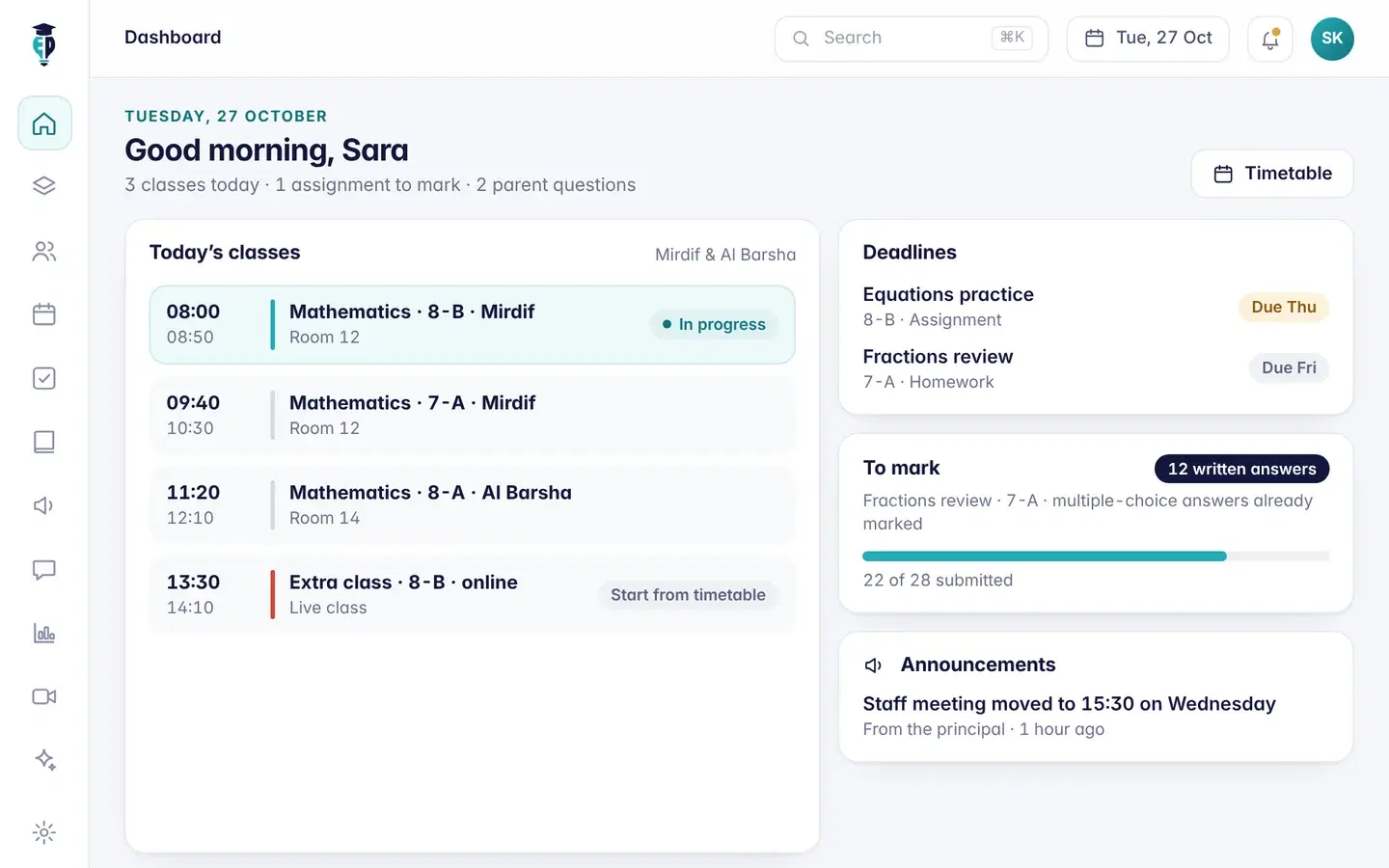
Illustration of EdBanz with a fictional demo school.
Sound familiar?
Planning in one file, marking in a pile.
Lesson plans live in a document, questions in another, multiple-choice answers get marked by hand at the kitchen table, and a parent’s question arrives on your personal phone at nine in the evening.
A day with EdBanz
A teaching day,
from first period to the last message.
You see your own classes and courses, nothing else to wade through.
7:50
See today’s classes
Your dashboard opens on today’s timetable, upcoming deadlines and the latest announcements.
8:00
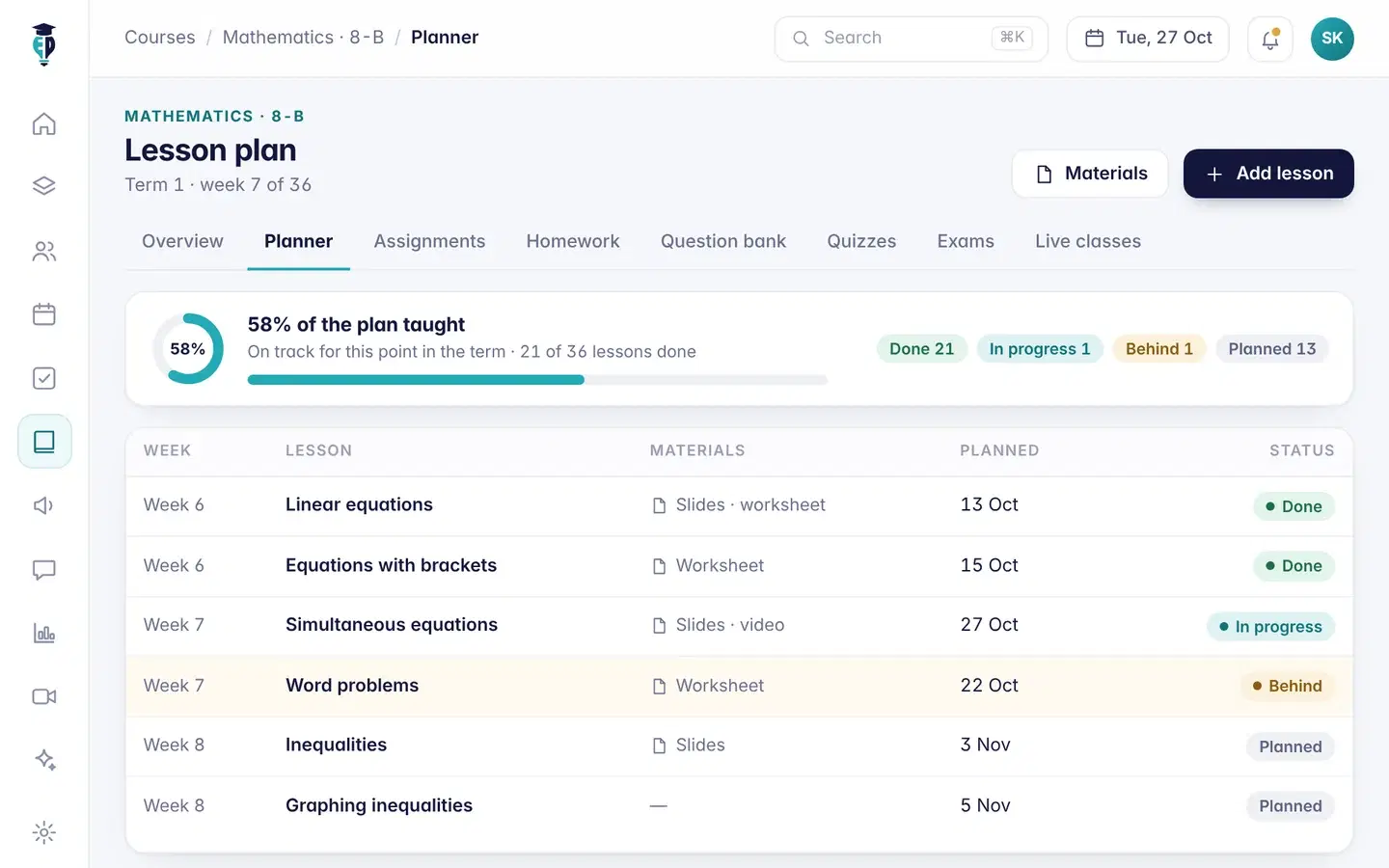
Check the lesson plan
This week’s lessons for each course, with anything behind plan marked, and the course materials beside them.
11:00
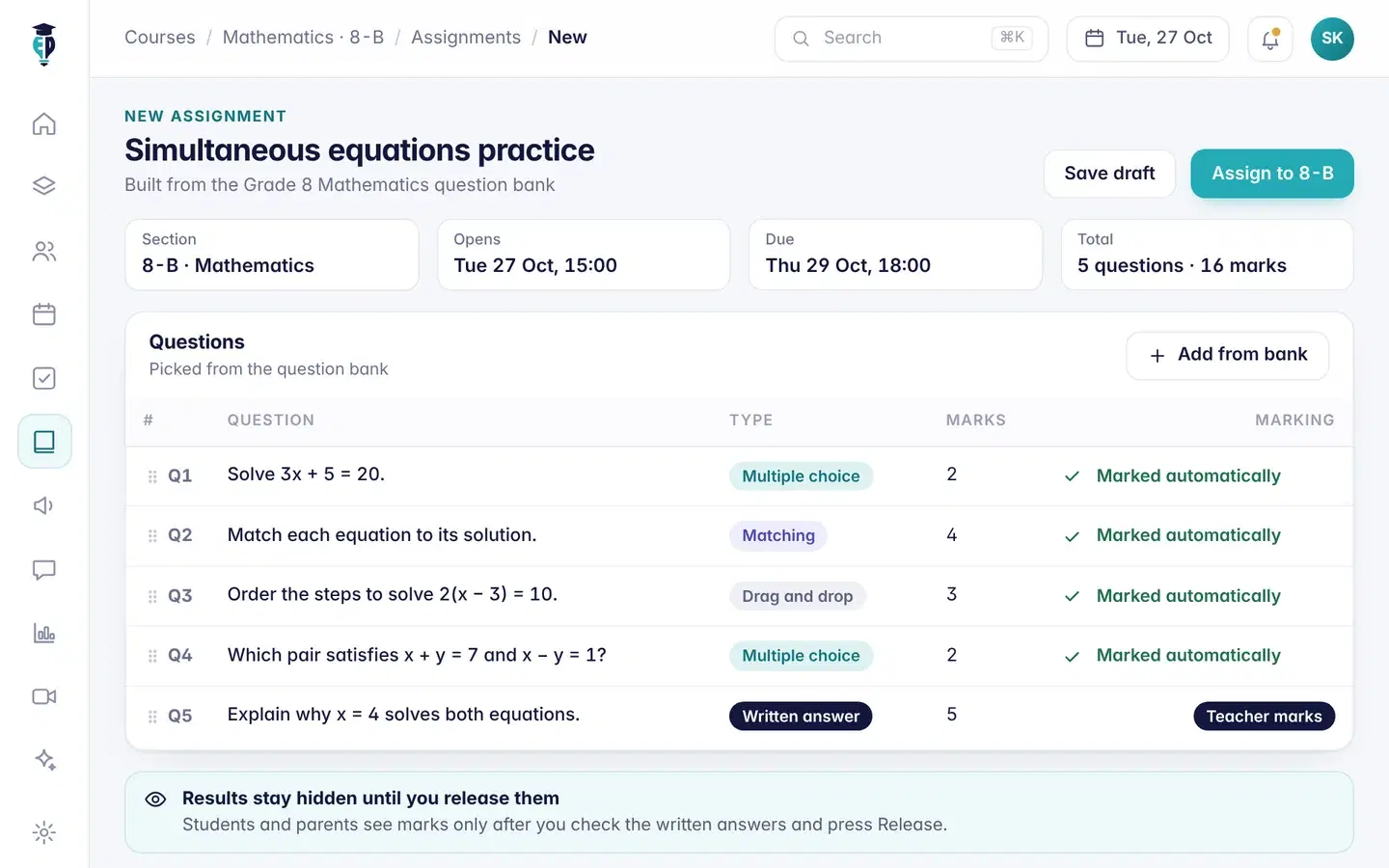
Set an assignment
Build it from the course’s question bank, which every teacher on the course shares.
15:30
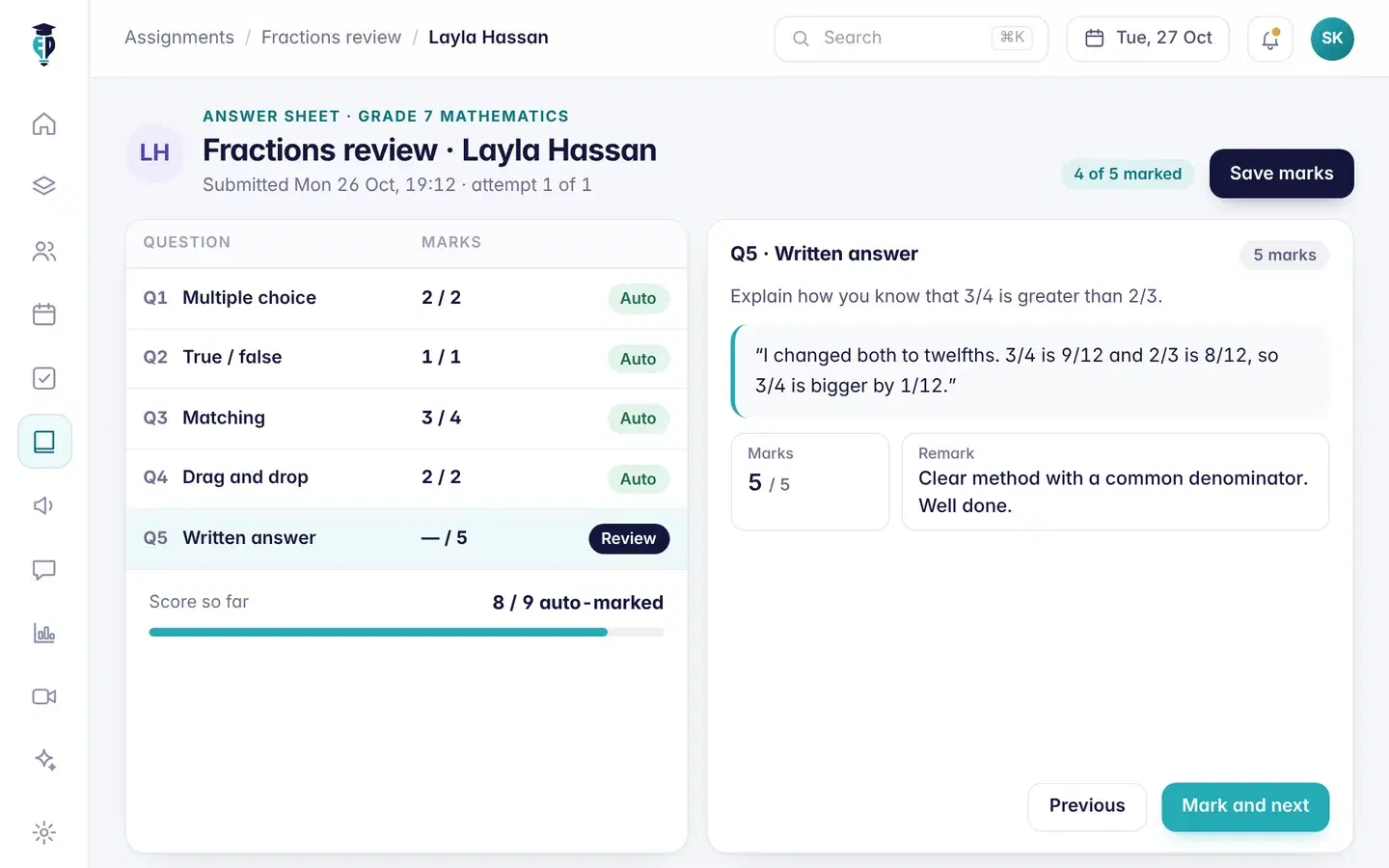
Review submissions
Supported question types are already marked. Review the written answers and the homework students uploaded, then release results when you’re ready.
16:15
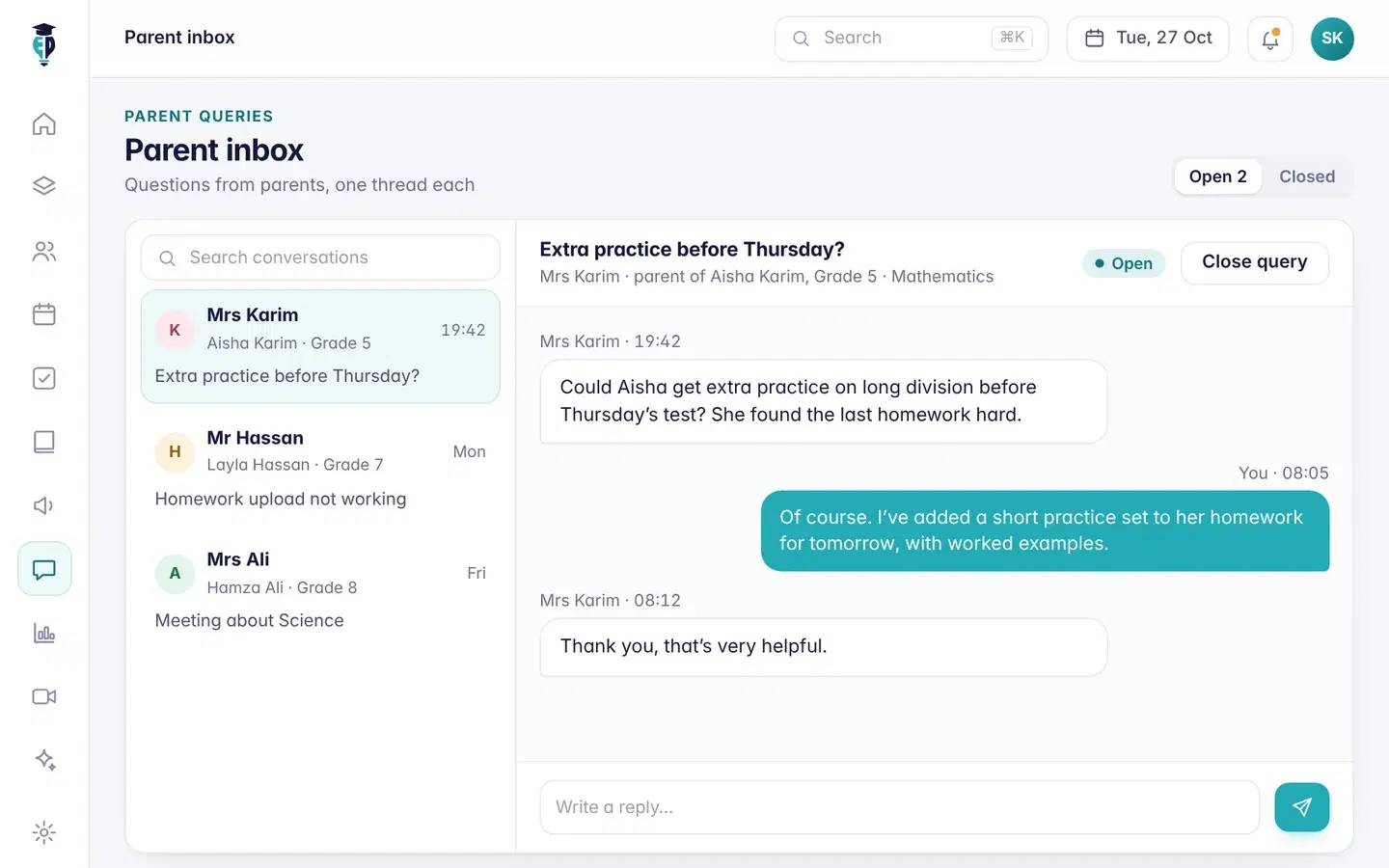
Reply to a parent
Parents’ questions arrive in EdBanz, one thread per question, not on your phone.
What you see
when you sign in.
- Your classes onlyYour timetable, your courses and your students.
- Marking where it’s neededSupported answers are marked for you. Written work comes to you.
- Results when you say soStudents and parents see marks only after you release them.
One connected school
What you record reaches
the right people.
You take attendanceParents and leaders see it
Parents see their child’s attendance calendar. Leaders see rates for every campus.
You release resultsStudents and parents see them
Nothing shows before you release it.
You update the lesson planLeaders see syllabus progress
Without you writing a report.
A parent asks a questionIt reaches you in EdBanz
With the whole conversation in one thread.
Go deeper into the features.
- Included in CoreTeaching & LearningLesson plans, homework, the question bank and assignments.See how it works
- Included in CoreParent EngagementQuestions from parents and meeting bookings.See how it works
- Premium add-onAI Content and AI GradingDrafted questions to approve, and suggested marks to check.See how it works
- Premium add-onLive ClassesTeach online from your timetable.See how it works
Premium add-ons and coming-soon features depend on what your school chooses.
Questions teachers ask.
01Do I have to pay for EdBanz?
No. Your school sets up EdBanz and creates your account.
02Is homework marked automatically?
No. Homework is work students upload for you to review. Assignments built from the question bank are where supported answers mark themselves.
03Which answers are marked for me?
Multiple choice, true or false, matching, ordering, drag-and-drop, drag-the-text, hotspot and memory-game answers. Written answers come to you.
04Does AI mark my students’ work?
Only if your school has AI Grading and you turn it on for an assignment. You check the suggested marks and release the results.
05Can I use it on my phone?
Yes. EdBanz works in the browser on a phone, tablet or laptop.
Bring
EdBanz to your school.
Book a demo with your school’s leadership and we’ll show you how it works for your classes. Already using EdBanz? Sign in.