
School Management
Included in CoreRun every campus from
one place.
Set up campuses, grades and sections once. Student records, staff, timetables and attendance then run from the same system, so nobody keeps the same list in three places.
Included in every Core plan.
Watch a school get set up, from campuses to the first attendance register.
The school runs on lists that don't agree.
Without one system
- The same student, in four placesAdmissions, the class register, the timetable and the parent contact list each keep their own copy, and every copy drifts.
- Every campus does it differentlyLeaders wait for each campus to send its numbers, in its own format.
With EdBanz
- One record for each studentAdd a student once, with their campus, grade and parents, and every part of EdBanz uses that record.
- Every campus in one viewEach campus runs its own sections and timetable, and leadership sees all of them side by side.
How it works
Set up once.
Run every day.
Most schools start with their structure, bring students across from a spreadsheet, then run timetables and attendance from there.
Step 1
Set up campuses, grades and sections
Add each campus, the grades you teach and the sections in each. Staff are assigned to the campuses they work at.
Step 2
Bring your students across
Upload a CSV or Excel file with each student's campus, grade, roll number and parents' phone numbers. EdBanz checks the file first and shows the rows to fix.
Step 3
Run timetables and attendance
Build each section's timetable, and let teachers take attendance from their own classes. A teacher or room can't be booked into two classes at once.
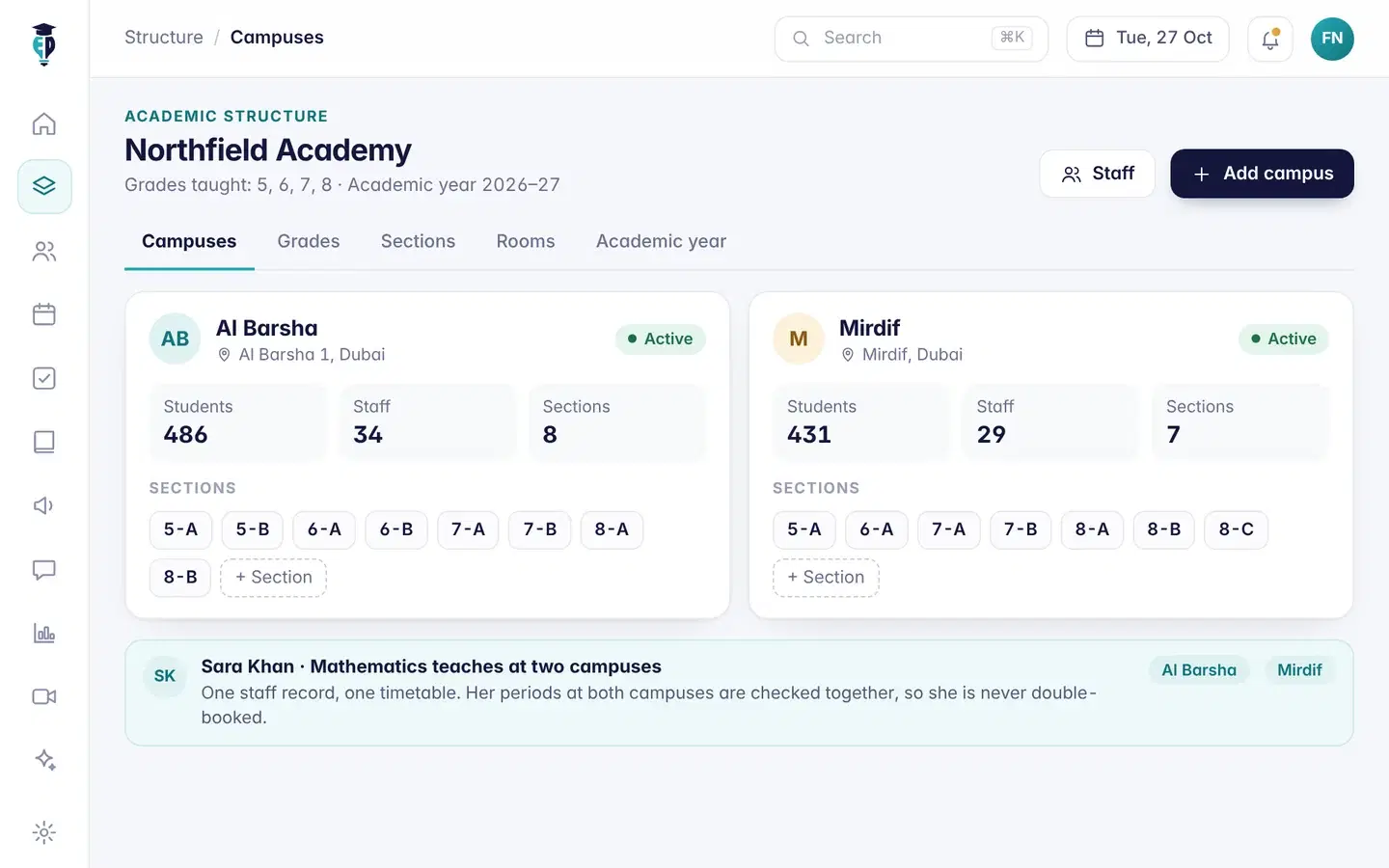
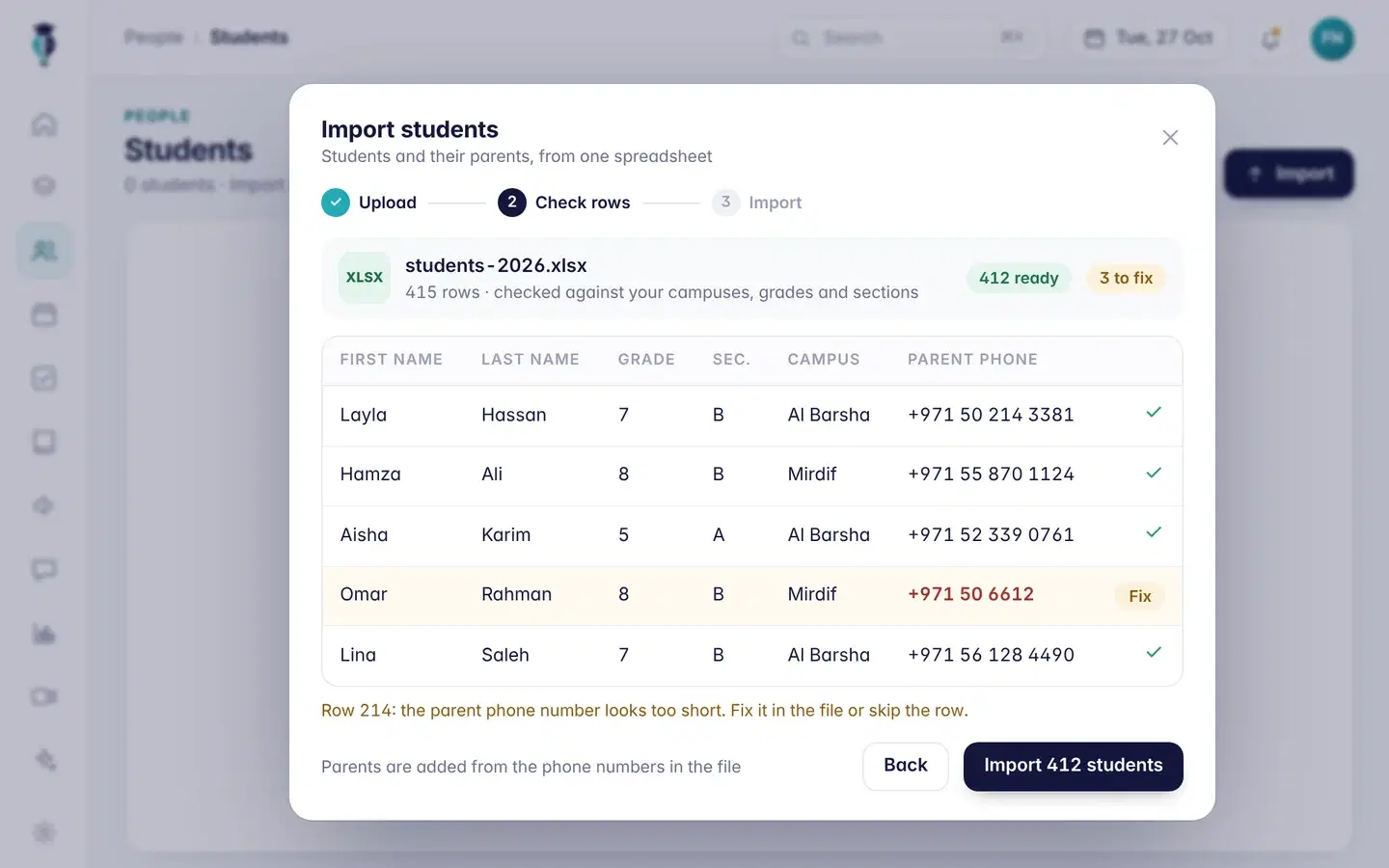
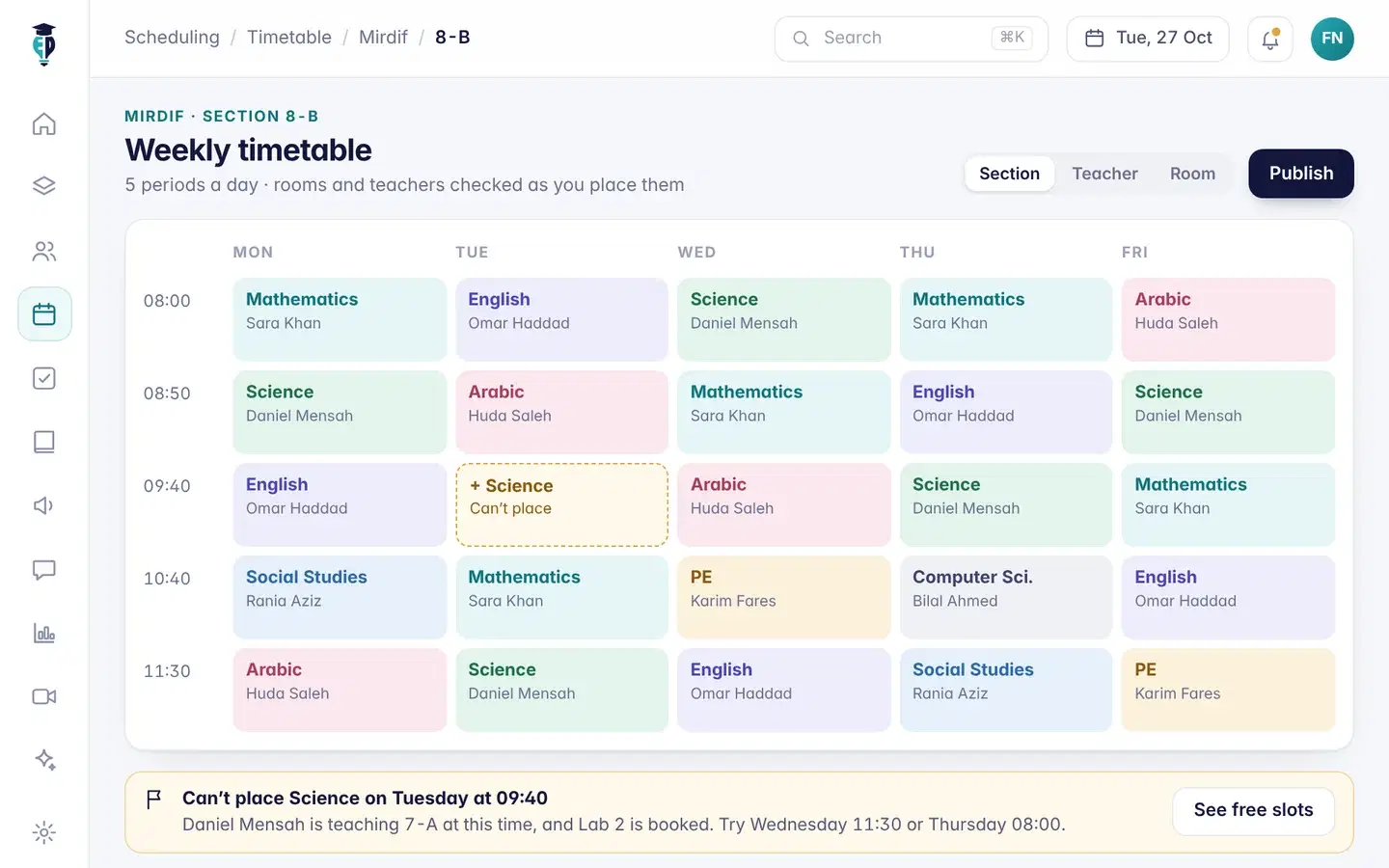
The screens your
office will use.
Pick a part of School Management to see how it looks.
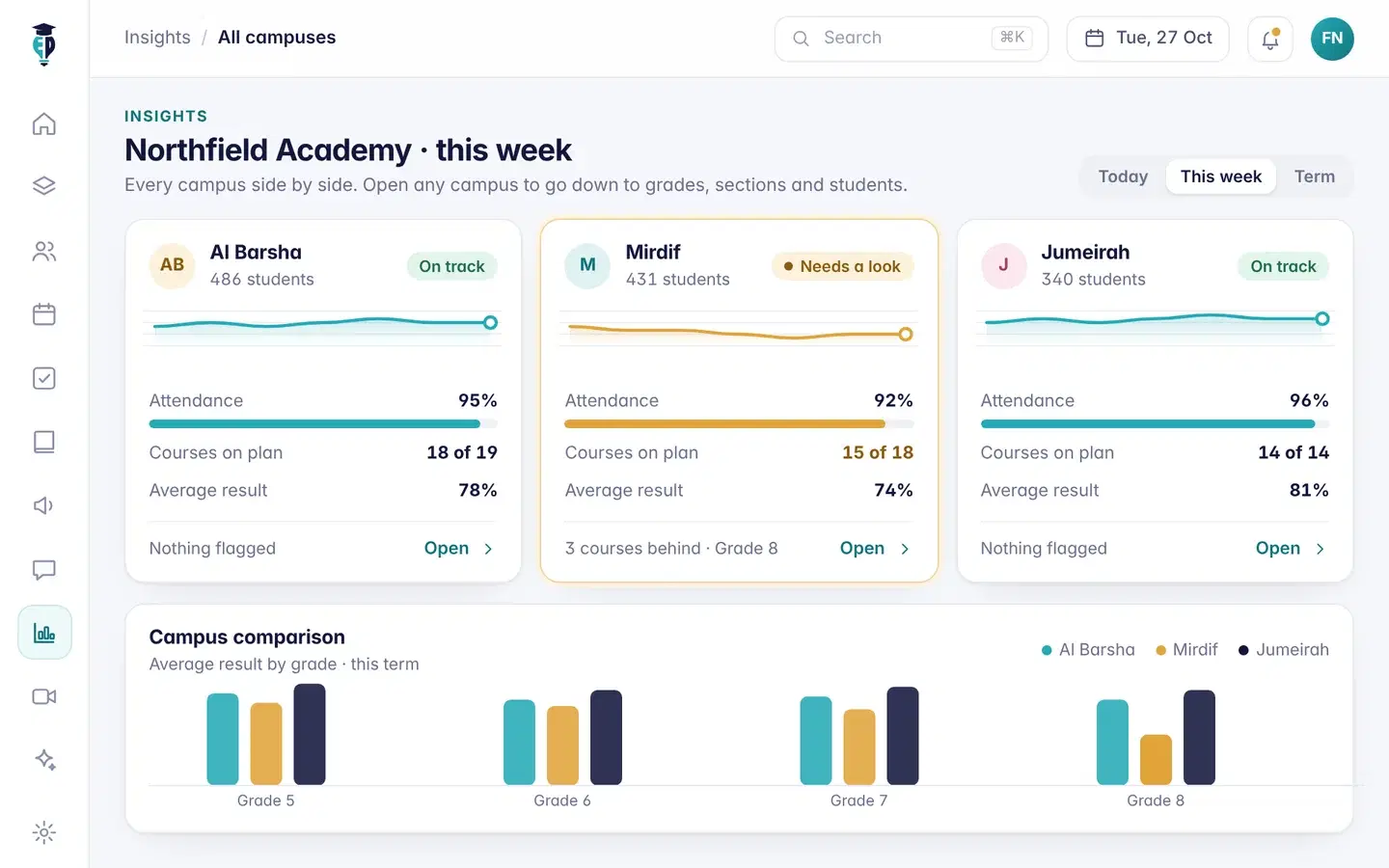
Every campus, side by side
Attendance, courses on plan and average results for each campus, so leadership knows where to look first.
Screens are illustrations of EdBanz with a fictional demo school.
What’s included, and what’s an add-on.
Included in Core
Every Core planEvery Core plan has the same School Management features, whatever your size.
- Campuses, grades and sectionsEach campus with its own sections, rooms and staff.
- Student records and importOne record per student, imported from CSV or Excel with a check before anything is saved.
- Staff recordsStaff assigned to the campuses they work at.
- TimetablesTeacher and room double-bookings are blocked.
- AttendanceBy period or once a day, with rates for every campus.
- Your brandingYour logo and colours across every portal.
No add-on needed
Everything on this page is part of Core. Premium add-ons such as Live Classes and the AI tools build on the same school setup when you want them.
Request a Tailored QuoteQuestions school owners ask.
01Can each campus run its own timetable?
Yes. Each campus has its own sections, rooms and staff, and each section has its own timetable. The school sets its period times once, for every campus.
02How do we bring our existing students across?
Upload a CSV or Excel file. EdBanz checks it, shows any rows that need fixing, and creates parent records from the parents' phone numbers. Staff are added directly in EdBanz.
03Can a campus principal see only their own campus?
Yes. Assign the campuses they manage, and their dashboards and reports cover only those campuses.
04Do teachers take attendance every period?
Your school chooses: in every period, or once a day by the section teacher.
05What does School Management cost?
It is part of Core, which is included in every EdBanz plan.
Find the right
plan for your school.
Core, with School Management included, is part of every plan. Tell us about your school and we will recommend the right setup.